Key takeaways
- A multi-location dental group needs the same setup at every office, so a problem solved once is solved everywhere and staff can float between locations.
- The biggest decision is where the practice management database lives: one central server, the cloud, or one server per office, and each choice changes the network you need.
- Backups, HIPAA safeguards and the phone system should be run as one group, not as separate offices that happen to share an owner.
- A small owner-led company can support a group of two to six DFW offices remotely, with scheduled onsite visits, and the group gets one point of contact who knows every location.
- Opening the next office is far easier when the first ones are standardized, because the new site is a copy, not a new design.
Who provides IT support for a multi-location dental group in DFW?
I do, for groups of roughly two to six offices anywhere in the Dallas–Fort Worth metroplex. I am Anthony Omini, the owner of Cross River Tech, a small managed IT company. My team and I support the offices remotely first, because that is faster and cheaper for you, and I visit each location by appointment for the work that has to be done by hand: cabling, hardware swaps, new-office setups and the occasional physical fault.
I want to be honest about size up front. A small owner-led IT company is a good fit for a dental group that has outgrown handling each office separately but is nowhere near needing a help desk with a dozen people on it. If you have thirty locations, you need something bigger than Cross River Tech and I will say so. If you have three offices in Plano, Frisco and North Dallas that were each set up by a different vendor and nothing matches, that is exactly the problem I solve.
The rest of this article is how I approach a group: standardizing the offices, deciding where the practice software lives, connecting the sites, running backups and HIPAA safeguards centrally, sorting out the phones, and what day-to-day support looks like. If you have a single office and are planning the second one, opening a second office: IT setup is the better starting point. For the general dental page, see IT support for dental practices.
Should every location run the same setup?
Yes, as far as the buildings allow. Standardization is the single change that makes a dental group easier and cheaper to run, and it is the first thing I work toward when I take over a group where each office was built by someone different.
What "the same" means in practice:
- Same firewall model at every office, configured from one template, so a rule added for one site can be pushed to all of them.
- Same switch and access point brand, managed from one dashboard, so I can see every port in every office from one screen.
- Same workstation image: identical Dell or Lenovo models where possible, the same practice software version, the same imaging drivers, the same security settings.
- Same naming and labeling: an operatory computer in Frisco is named the same way as one in Arlington, and the patch panels are labeled the same way, so I never have to ask which machine "the one by the pan" is.
- Same logins. One user directory for the whole group, so a hygienist who covers two offices has one password and the same access at both, and when someone leaves, one change removes them everywhere.
- Same vendors for internet where a carrier serves all sites, for phones, and for backup.
The payoff is not tidiness. It is that when the front desk in one office calls about a problem, I have almost always already seen and fixed it at another office, and I can fix it in the same way in minutes. It also means your staff can float between locations without relearning anything, which matters when someone calls in sick.
One practice database or one per office?
This is the decision everything else hangs on. Dentrix, Eaglesoft and Open Dental all run in a group setting, but how you deploy them changes the network, the backup plan and how badly an outage hurts. The three realistic options:
| Option | How it works | Good for | Watch out for |
|---|---|---|---|
| One central server | Database at a main office or hosted in a data center; other offices connect over a private link | Groups that want one schedule, one chart, one report across all sites | Every office depends on the link to the server; needs good internet and failover at each site |
| Cloud practice software | Dentrix Ascend, Curve or similar; every office is just a browser | Groups opening new offices quickly, or with mostly 2D imaging | Everything depends on internet; 3D imaging still needs local storage; migration from a legacy database takes planning |
| One server per office | Each office runs its own database; reporting is consolidated separately | Groups formed by buying existing practices that already work well | Patients cannot easily be seen across offices; three backups, three sets of updates, three of everything |
My honest view is that groups formed by acquisition usually start with one server per office because that is what they bought, and then move to a central or cloud model once the offices are standardized. Groups formed by opening new offices from scratch should pick central or cloud from day one. I help with either path, and the decision is worth a proper conversation with your practice software vendor and me in the same meeting, because the vendor will tell you what the software supports and I will tell you what the network can carry. The software side is in supporting Dentrix, Eaglesoft and imaging software.
How do the offices connect to each other?
If the database is central, every other office needs a reliable, private path to it. That means a business firewall at each site and an encrypted site-to-site connection between them, so the Fort Worth office reaches the server in Dallas as if it were down the hall. It also means each office needs internet good enough for that traffic, which in most DFW suburbs today means fiber where it is available and a cable or wireless connection as backup.
What I set up at each location:
- A business firewall configured from the group template, with the site-to-site tunnel to the central office or data center.
- A second internet connection from a different carrier with automatic failover, because a central-database office with no internet is a closed office.
- Separate networks for practice devices, phones and patient guest Wi-Fi.
- Fixed addresses for imaging equipment, wired, never on Wi-Fi.
- Remote management so I can see the health of every site from one dashboard and usually spot a failing link before anyone at the office notices.
If the database is in the cloud, the site-to-site link is less critical, but the two-carrier failover becomes more important, not less. And if each office has its own server, the connection between offices is mostly for shared files, email and the phones, and a simpler setup does the job.
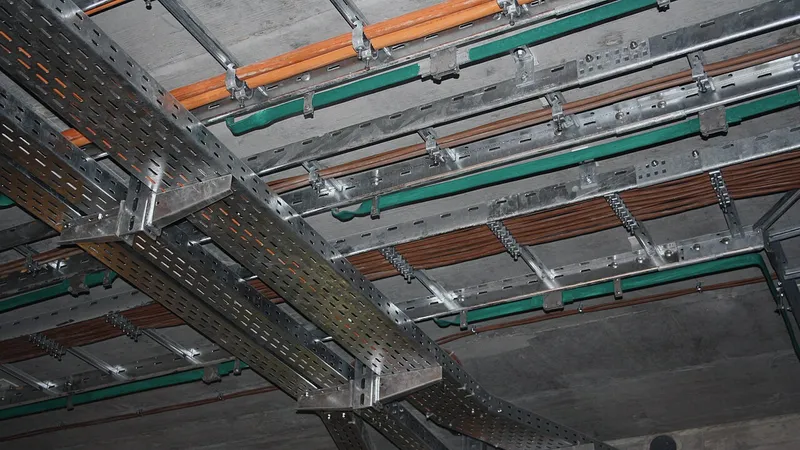
Where a site is a new build-out, I run the Cat6 during construction as well, so the cabling matches the other offices. That is described in data cabling and IT room setup.
Backups and HIPAA safeguards across several offices
A dental group is one covered entity in the eyes of HIPAA whether it has one office or six, so I run the safeguards as one program. That is easier, not harder, when the offices are standardized.
Backups first. With a central server there is one database to protect, and I back it up onsite for fast restores and offsite for disaster recovery, then test a restore on a schedule and show you the result. With one server per office, each office gets the same backup setup, reporting to the same dashboard, so I can see in one place that all of them ran last night. With cloud software, the vendor protects the database and I protect everything else: workstations, imaging archives that live locally, email and shared files.
The security safeguards I apply group-wide:
- Multi-factor authentication on email and on any cloud practice software, for every user at every site.
- Full-disk encryption on every workstation and laptop, including the ones that travel between offices.
- Managed antivirus and email filtering with one policy for the group.
- Unique logins, automatic screen locks and a leaver process that removes access everywhere in one step.
- One risk assessment covering all sites, updated when an office is added.
- Business associate agreements with me and with every vendor that touches patient data.
The point is that a group owner should be able to answer "is every office protected the same way" with a yes, and produce the documentation. The single-office version of this is in HIPAA-compliant IT for dental offices; for a group I simply apply it to every site and keep one set of records.
Phones across several dental offices
Phones are where a group can gain the most for the least effort. With a cloud phone system, I work with Cleod 9 Voice, every office is on the same system, and that opens up things an old phone-line setup cannot do:
- A front desk that is short-staffed can have its calls answered by another office, without the caller noticing.
- One main number for the group that routes callers to the nearest office, plus each office's own local number.
- Consistent greetings, hours and holiday routing that I change once for all sites.
- After-hours emergency calls routed to the on-call dentist, whichever office they belong to.
- A dashboard showing call volume by office, which is useful when you are deciding where to add a second front-desk seat.
Because the phones run on the same network I manage, there is no separate phone vendor blaming the network when call quality dips. I set the switches to prioritize voice traffic, and when an office's internet fails over to the backup line, the phones keep working. If the internet is out entirely, calls forward to cell phones automatically. The single-office version is covered in phone system and IT support for a dental clinic.
What day-to-day support looks like for a group
Every office has the same number to call, and it reaches me. Remote support is unlimited on a managed plan, and most issues in a dental office are remote issues: a printer, a login, a sensor driver, a slow workstation, a report that will not run. I connect to the machine, fix it while the person watches, and move on. Onsite visits happen when remote cannot fix it, and I plan regular rounds across the offices so hardware gets looked at, closets get checked for heat and dust, and the small things get done before they become outages.
What a group gets beyond the single-office version:
- An inventory across all sites: every workstation, server, switch, firewall and imaging computer, with age and warranty, so replacements are planned rather than emergencies.
- Monitoring from one dashboard, so a failing drive in the Grapevine office shows up on my screen before the office manager notices.
- A quarterly summary of what broke, what was replaced and what is coming up, written for an owner, not for an IT person.
- A new-office playbook. When you sign the next lease, the IT side is a copy of the last office, with the cabling, hardware list, firewall template and phone setup already known. The timeline is in opening a dental practice: IT, cabling and network setup.
Billing is per user or per device per month, month-to-month, with the number quoted after I have seen the offices. There is no sales team in between; I would rather show you the existing sites' inventories and quote from that than guess.
Is a small owner-led IT company the right size for a dental group?
For a group of two to six offices across DFW, usually yes, and here is the honest reasoning. The daily support load of a dental office is modest once it is standardized and properly built. The value of the support is in knowing the setup, and a point of contact who planned and manages all of your offices knows them better than a rotating help desk ever will. You never explain your imaging setup twice. You never wait in a ticket queue behind a company with a thousand seats.
The limits are real too. Onsite visits are scheduled rather than instant, so I build the offices to fail gracefully: dual internet, battery backup, spare hardware on a shelf at each site, and remote access to everything. When I am away, support keeps running: my team covers the routine work from the same documentation, I stay reachable for decisions, and planned onsite work is scheduled around it. And if the group grows past the point where a small company can serve it well, I will tell you, and I will help you move to a larger provider without drama, because the standardized, documented setup is exactly what makes that handover painless.
If you are comparing me with larger managed service providers, an owner-led IT company versus a big MSP lays out the trade-offs plainly. If you would like to talk through your offices, reach me through the contact page or call (214) 612-7080.
Questions people ask
Can one person really support a dental group with several offices?
For roughly two to six offices, yes, with a small company built around one point of contact. Most daily support in a standardized dental office is remote work, and the person who planned every site knows them better than a rotating help desk. I plan onsite rounds across the locations, build each office to keep running through an outage, and my team works from the same documentation, so support keeps running and I stay reachable for decisions if I am away.
Should a dental group use one central server or cloud dental software?
It depends on how the group formed and what imaging you run. Groups that acquired existing practices usually start with one server per office and consolidate later. Groups opening new offices should pick a central server or cloud software from the start. Cloud is simplest to expand but depends entirely on internet; a central server suits heavy 3D imaging. I help you decide with your software vendor in the same meeting.
How do you keep all the offices HIPAA-ready?
By treating the group as one program rather than separate offices. Every site gets the same firewall template, encryption, multi-factor authentication, antivirus and email filtering, backups reporting to one dashboard, and one user directory so a departing employee is removed everywhere at once. One risk assessment covers all sites and is updated when an office is added. That helps the group meet HIPAA consistently and prove it.
What happens when the internet goes down at one office?
Each office gets a second internet connection from a different carrier with automatic failover at the firewall, so a single carrier problem does not close the office. If both fail, phones forward to cell phones automatically, and an office with its own server can still chart locally. Offices on a central server or cloud software are the reason I insist on the second line.
Can the front desks at different offices cover each other's phones?
Yes. On a cloud phone system such as Cleod 9 Voice, all offices are on one system, so calls to a short-staffed office can ring at another location without the caller noticing. I also set up a group main number that routes to the nearest office, consistent greetings and hours across sites, and after-hours emergency routing to the on-call dentist.
How much does managed IT cost for a multi-location dental group?
It is billed per user or per device per month, month-to-month, and quoted after I have seen the offices, because the number depends on how many workstations, servers and imaging computers each site has and how much standardizing is needed first. Small business managed IT in the Dallas market is commonly quoted somewhere around $100 to $175 per user per month as a typical range.
Sources and further reading
Market price ranges in this article are my own observation of quotes in the Dallas market, not a published survey. Where I state a rule or a standard, the source is linked above.