Key takeaways
- Call (214) 612-7080. I answer or call back, and I start working remotely before anyone drives anywhere.
- In the first ten minutes, stop the spread: do not reboot the server blindly, do not pull drives, and note exactly what people are seeing.
- Most outages I see in Dallas offices are not the server at all but the internet line, the firewall or a switch, and those are fixed remotely more often than not.
- Emergency work is billed hourly with a one-hour minimum: $100 per hour remote and $150 onsite during business hours, $150 remote and $225 onsite after hours.
- I do not promise a response time. What I can say is that you talk to the person who fixes it, not a ticket queue.
Who can come to your Dallas office and fix the network today?
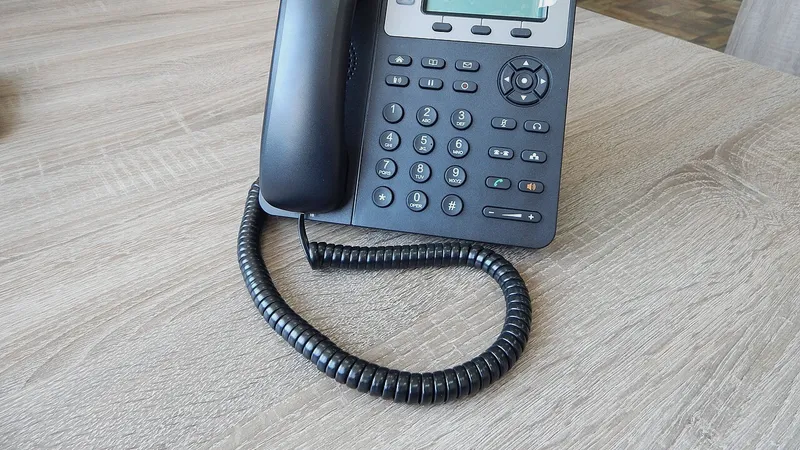
I can. My name is Anthony Omini and I run Cross River Tech, a small owner-led managed IT company based in Dallas. If your server is down or the whole office has lost the network, call (214) 612-7080. If I am on another call, leave a message and I call you back. There is no dispatcher, no ticket number and no queue. The person you talk to is the person who owns the problem until it is fixed.
Here is how an emergency call goes. I ask you a few questions on the phone, then I connect remotely to whatever is still reachable and start there. Most outages that feel like a dead server turn out to be something smaller in front of it, and those I can often fix without leaving my desk. If remote work shows that a physical visit is needed, I come to your office. I cover the whole Dallas–Fort Worth area, and same-day onsite visits are often possible, depending on where I am and what is already scheduled.
You do not need to be an existing client. Emergency work is available on an hourly basis with no contract through my hourly IT support and break/fix service. Clients on a managed plan already have unlimited remote support included, so for them an emergency is just a phone call.
What should you do in the first ten minutes?
The first ten minutes decide how long the outage lasts. A calm ten minutes with the right notes saves an hour of diagnosis later. Here is what I ask every office to do before I arrive or connect.
- Write down what people are actually seeing. "The server is down" usually means one of five different things. Is it a specific error message? A missing mapped drive? A program that will not open? Email not arriving? No internet at all? The exact wording on the screen matters.
- Check whether it is everyone or one desk. Walk to two other desks. If one computer is affected, it is not the server. If everyone is, look at the next item.
- Look at the lights. Find the internet modem, the firewall and the switch, usually in a closet or on a shelf. Do not unplug anything yet. Just note which lights are solid, blinking or off, and whether anything is beeping.
- Do not reboot the server on instinct. A reboot can turn a recoverable problem into a data-loss problem, especially if a disk is failing or a backup job is mid-run. If the server is still on, leave it on until you have talked to me.
- Do not pull drives or restore from backup on your own. Both are one-way doors.
- Tell people to stop retrying. Twenty people hammering a half-alive server slows the recovery. Ask everyone to work on something local for a few minutes.
- If anyone saw a ransom note or a strange pop-up, say so immediately. That changes the whole plan. Unplug that one computer's network cable and leave it powered on.
Then call me. You now have everything I need to start.
What do I need from you when you call?
You do not have to be technical. You have to be specific. When you call about an outage, this is the information that lets me start fixing instead of asking questions.
- What is broken, in your words: "Nobody can open the shared drive" is a great answer. "Everything is down" is a starting point, and I will help you narrow it.
- When it started and whether anything changed right before it: a power flicker, a storm, a new device, a software update, someone plugging a cable into the wrong port, a visitor from the ISP.
- How many people are affected and whether anyone can still work.
- A way for me to connect. If any computer in the office still has internet, I can usually get in remotely from there. If you have remote-support software from a previous IT company, tell me. If nothing works, I will talk you through a quick check at the equipment closet.
- Who has the passwords. Server login, firewall login, ISP account, Microsoft 365 admin. If a previous IT provider held them and you do not have them, tell me now rather than later. Missing admin passwords are the single most common thing that turns a one-hour fix into a half-day one.
- Whether you have a backup and where it goes. Even if you are not sure it works, knowing one exists changes the plan.
- Your address and who to ask for if I need to come onsite, plus how I get into the building after hours.
If you are a managed client I already have all of this documented, which is one of the quieter benefits of managed IT services: nobody has to hunt for a password while the office waits.
Why do I start remotely before driving to your office?
Because it is faster and cheaper for you, and because it works more often than people expect. Traffic on US-75 or I-35E at the wrong hour can add most of an hour to an onsite visit. A remote session starts in minutes. If I can reach even one computer in your office, I can see the network from the inside, check whether the server answers, look at the firewall and check the internet line. A large share of "the server is down" calls end during that first remote session.
Remote also costs you less. Remote emergency time is billed at $100 per hour during business hours against $150 onsite, and the gap is the same after hours. I would rather spend forty remote minutes finding out the ISP has an outage in your area than drive over to discover the same thing at your rack.
There are limits, and I am honest about them. Remote does nothing when the whole office has no internet and no cell hotspot is available, when hardware has physically failed, when a cable or a switch needs hands, or when a server will not boot at all. In those cases I tell you on the phone that a visit is needed, give you a realistic arrival window based on where I am, and head out.
I also support businesses remotely anywhere in Texas. For an office in Houston or Austin, remote is not just the first step, it is the whole plan, and I coordinate any hands-on work with a local vendor or your own staff.
When is an onsite visit the right call?
Some emergencies need a person in the room. I go onsite when one of these is true.
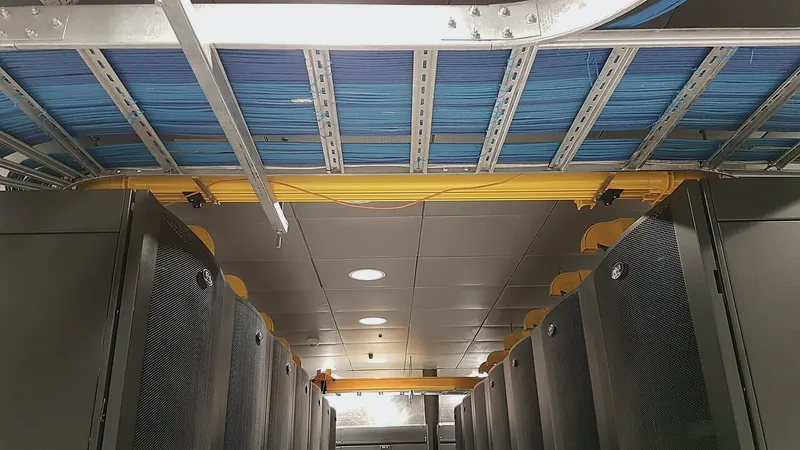
- Nothing in the office can reach the internet and the ISP confirms there is no outage on their side. That points at your modem, firewall or switch, and someone has to look at them.
- The server will not power on or will not finish booting. Failed power supplies, failed disks and corrupted boot volumes are hands-on problems.
- Something physical happened: water in the closet, a power surge from a storm, construction next door cutting a cable, someone moving furniture into the rack.
- A drive in the storage array has failed and a replacement has to go in.
- Suspected ransomware. I want to isolate machines physically and look at the backups in person before anything is restored.
- You want me there. Some owners want a person in the building during a bad morning. That is a fair reason and I do not argue with it.
Onsite visits are by appointment, which during an emergency means "as soon as I can get there," and I tell you an honest window rather than a hopeful one. From the Dallas 75215 area I reach Downtown, Uptown, Deep Ellum and the Cedars quickly, and North Dallas, Plano, Irving and Fort Worth depending on the hour. I bring spare switches, patch cables, a spare firewall and drives so a hardware failure does not turn into a second trip.
What does emergency IT support cost in Dallas?
I publish my hourly rates so nobody has to negotiate during a crisis. Emergency work is billed by the hour with a one-hour minimum. The rate depends on whether the work is remote or onsite and whether it falls inside business hours.
| When | Remote | Onsite |
|---|---|---|
| Business hours, Monday to Friday, 8 AM to 5 PM Central | $100 per hour | $150 per hour |
| After hours, weekends and holidays | $150 per hour | $225 per hour |
A few things worth knowing about those numbers. Time is billed by the hour, with the first hour as the minimum. Parts are separate and I tell you the price before I buy anything. I do not charge an "emergency fee" on top of the after-hours rate. And I do not pad time: if the fix takes fifty minutes, you pay for one hour.
For managed clients the picture is different. Remote support is unlimited and included in the monthly fee, and an onsite visit is at no extra charge when remote cannot fix it. After-hours rates still apply for after-hours work. If you have been through two emergencies this year on an hourly basis, it is usually worth a conversation about whether a monthly plan would have cost less; I lay that math out in hourly vs monthly IT support.
What I cannot tell you on the phone is the total. An outage caused by a bad switch is an hour or two. An outage caused by a dead server with a good backup is most of a day. An outage caused by a dead server with no backup is a different conversation entirely. I give you my best estimate as soon as I know what is wrong, and I update it as I go.
What if it is not really the server?
It is often not the server. In my experience across Dallas offices, "the server is down" is usually one of the following, roughly in order of how often I see it.
- The internet line. The ISP has an outage, the modem locked up, or the account has a billing hold. Cloud-based offices feel this as "everything is down" because everything is in the cloud.
- The firewall. A firewall that has overheated, run out of memory or lost its configuration takes the whole office offline while the server sits there perfectly healthy.
- A switch or a single bad cable. One failed switch port, one crimped cable behind a desk, or a loop created by someone plugging both ends of a cable into the wall can take down a floor.
- DNS. If the server that translates names into addresses stops responding, nothing can find anything, and it looks exactly like a dead server.
- An expired password or a locked service account. A scheduled job that ran with an account whose password just expired fails quietly and takes a line-of-business application with it.
- A full disk. A server whose system drive has filled with log files stops answering requests before it stops running.
- The server itself. A failed drive, a failed power supply, a bad update or a hardware fault. This is real, it just is not first on the list.
The reason this matters to you is cost. The first five are usually remote fixes measured in minutes to an hour. That is why I ask about lights and error messages before anyone reaches for the car keys, and why I never assume the worst until I have looked.
How do you avoid the next emergency?
After the office is back up, I write down what caused it and what would have prevented it. Sometimes the answer is nothing; hardware fails. More often there was a warning that nobody was watching for: a disk reporting errors for a month, a backup job that had been failing quietly, a firewall running firmware from years ago, a server with no room left on the drive.
Three things prevent most repeat emergencies.
- Monitoring. Servers, firewalls and backups can all raise a hand before they fall over. Somebody has to be receiving those alerts and acting on them. That is a large part of what a managed plan is.
- A tested backup. Not a backup that exists, a backup someone has actually restored a file from. A server failure with a tested backup is an inconvenience. Without one it can be the end of a business. I cover this in cybersecurity, backup and disaster recovery.
- Spare parts and documentation. Knowing the ISP account number, the firewall password and where the spare switch is turns a four-hour outage into a forty-minute one.
I am not going to use a bad day to pressure you into a contract. Plenty of businesses use me hourly for years and that is fine. But if you have had more than one of these mornings, it is worth reading what 24/7 IT support really means for a small business and having a short conversation about whether ongoing support would cost you less than the outages do.
Do I promise a response time?
No, and I would be careful of anyone who does. Cross River Tech is a small company, and I would rather say so than invent a dispatch floor. If I am on a ladder in a Frisco server closet when you call, my team can start remotely while I finish, but the honest arrival window for a visit depends on where I am. What I can tell you is this: you call and I answer or call you back; I start remotely the moment I can; I tell you a real arrival window rather than a marketing number; and I keep working until you are back up, including evenings, weekends and holidays at the after-hours rate.
Remote support is available 24/7/365. That is a real phone number that reaches a real person, not a call center reading a script. The trade-off of a small company is that there is no large dispatch floor behind me. The benefit is that nobody has to be brought up to speed, nothing gets escalated through tiers, and because my team works from the same notes I do, the person who answers already knows what a fix looks like.
If your office is down right now, stop reading and call (214) 612-7080. If it is not, but you would like to know who you would call when it happens, get in touch and I will spend fifteen minutes learning your setup so the first emergency call is not the first conversation. Businesses in Plano, Irving, Richardson, Fort Worth and across the metroplex can see their local page under service areas.
Questions people ask
Can you come to my Dallas office today if the server is down?
Often, yes. I start remotely the moment the call ends, because most outages are fixed that way and it is cheaper for you. If the problem needs hands on the hardware, I tell you an honest arrival window based on where I am and head over. Same-day onsite visits are usually possible across Dallas–Fort Worth, but I do not promise a specific time because Cross River Tech is a small company and I would rather be honest than sorry.
Do you provide after-hours emergency IT support in Dallas?
Yes. Remote support is available 24/7/365, including weekends and holidays, and onsite visits after hours are possible by arrangement. After-hours rates apply: $150 per hour remote and $225 per hour onsite, with a one-hour minimum. Call (214) 612-7080; if I am on another call, leave a message and I call you back.
How much does emergency network repair cost for a Dallas business?
It is billed by the hour with a one-hour minimum and no separate emergency fee. During business hours the rate is $100 per hour remote or $150 onsite; after hours, weekends and holidays it is $150 remote or $225 onsite. Parts are extra and quoted before purchase. A bad switch is usually an hour or two. A failed server with a good backup is most of a day.
Should I reboot the server before I call?
Please do not. If a disk is failing or a backup job is running, a reboot can turn a recoverable problem into data loss. Leave the server powered on, write down exactly what people are seeing, check whether one desk or everyone is affected, note the lights on the modem, firewall and switch, and then call me. Those few notes usually cut the diagnosis time in half.
Do I need to be a client to get emergency help?
No. Emergency work is available on an hourly, no-contract basis to any business in Dallas–Fort Worth, and remotely anywhere in Texas. I will need a way to connect and whatever passwords you have. Managed clients get remote support included in their monthly fee, with onsite at no extra charge when remote cannot fix it, and I already have their setup documented.
What if the outage turns out to be ransomware?
Tell me the moment anyone sees a ransom note or an unusual pop-up. Unplug that computer's network cable but leave it powered on. I isolate affected machines, check the backups before anything is restored, and help you decide who else needs to be told. Recovery time depends almost entirely on whether a backup exists that the attackers could not reach.
Sources and further reading
Market price ranges in this article are my own observation of quotes in the Dallas market, not a published survey. Where I state a rule or a standard, the source is linked above.