Key takeaways
- Servers, NAS units, firewalls and switches should be moved by an IT technician, not by the moving company; desktops and monitors can go with the movers if packed properly.
- A verified backup taken before the move is the only real protection against a drive that fails in transit.
- The new IT room needs dedicated power, a way to keep cool, a lockable door and finished cabling before the server arrives.
- A move is often the right moment to retire an old server and move files to Microsoft 365 or a hosted service instead of transporting it.
- The same person plans the shutdown, carries the server and brings it back up, so there is nobody reading someone else's notes.
Who moves the servers and computers in an office move?
An IT technician moves the servers. The moving company moves the furniture and, if the packing is right, the desktop computers and monitors. That is the split I recommend to every Dallas business that asks, and it is how I run it. I am Anthony Omini, the owner of Cross River Tech and the person who plans and runs these moves, and server room relocation is part of the office move and new-office IT setup work I do across Dallas–Fort Worth.
The reason for the split is simple. A server is not fragile the way a vase is fragile; it is fragile the way a filing cabinet full of every document your company owns is fragile. It must be shut down in a particular order, its drives must be noted, it must travel upright and padded, and it must be reconnected by someone who can tell within minutes whether every service came back. A mover cannot do any of that, and should not be asked to.
The rest of this article walks through how a small server room moves: what happens before the truck, how the equipment is packed, what the new room needs, how the reconnect and test go, and the honest question of whether the server should move at all or retire to the cloud on the way.
What counts as a server room in a small Dallas office
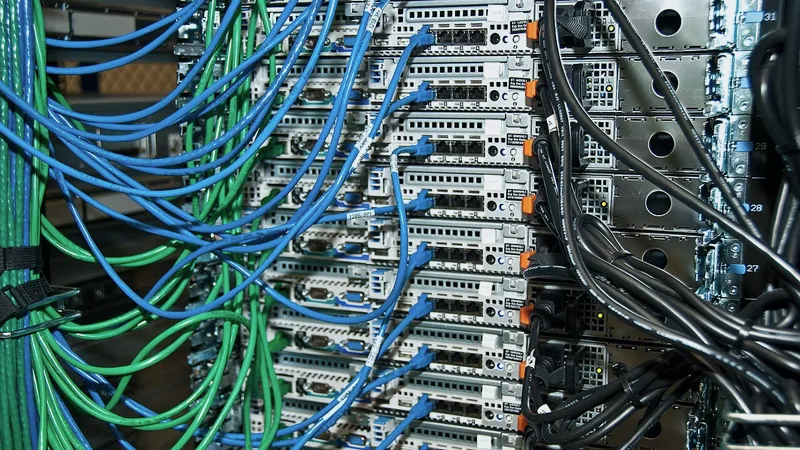
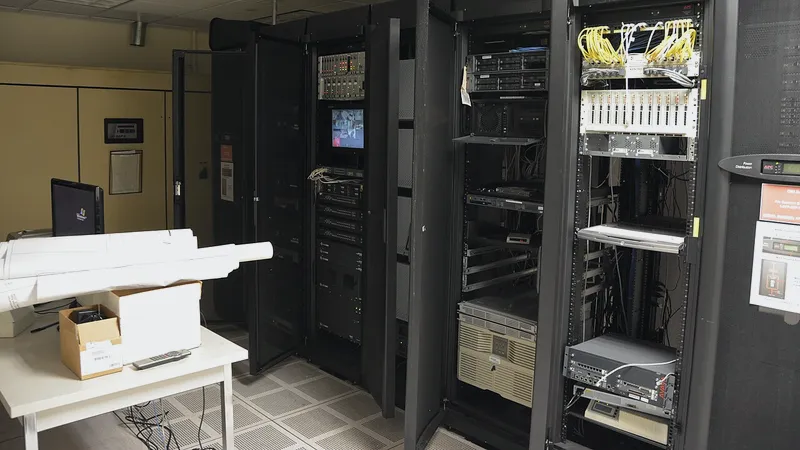
Most of the offices I work with do not have a raised-floor data center. They have a closet. Inside it, in some combination, are the things that keep the office running:
- A server running Windows Server, holding shared files, a line-of-business database such as practice management or case management, and sometimes user sign-in for the whole office.
- A NAS (network attached storage, a box of drives on the network) used for files or as the backup target.
- The firewall, which sits between your office and the internet.
- One or more switches, where every network cable in the office ends up.
- A patch panel, the numbered strip that the wall jacks terminate on.
- An on-premises phone system, if you have not moved to cloud phones.
- A battery backup (UPS) that keeps it all running through a short power blip.
- The ISP handoff, the box the internet carrier installed.
Everything on that list except the patch panel and the ISP handoff goes on the truck with a technician. The patch panel stays with the building. The ISP handoff belongs to the carrier and a new one is installed at the new site. If you are not sure what is in your closet, that is the first thing I document on the walkthrough, and it is often the first time anyone has written it down.
Before the move: back up, document, decide
The work that makes a server move safe happens in the two weeks before it. On the day, I want to be plugging things in, not discovering them.
- Full backup, verified. A complete image of the server and a copy of the data, stored somewhere that is not going on the truck. I verify it by restoring files, not by trusting a green icon. If your backup has not been tested in a while, this is the moment. I cover the wider topic in backup and disaster recovery.
- Document everything. Firewall configuration exported. Static addresses, DNS settings, which printer lives where, which programs are tied to which server name. Photos of every cable at the back of the rack.
- Check drive health. A drive that is already logging errors is the one that will not survive the ride. Replace it before the move, not after.
- Passwords confirmed. Local administrator, firewall, switch, NAS, UPS. A server that comes up at the new office with a forgotten password is a long Saturday.
- Software licenses listed. Some programs tie their license to a hardware ID or a network address. The vendor should know the server is moving.
- Decide what does not move. If the server is near the end of its life, I would rather set up its replacement at the new site and migrate over a quiet weekend than carry the old one across town. That decision belongs here, not on move day.
The whole planning timeline, including the pieces that belong to the new building, is in the office move IT checklist.
How a server is packed and transported
A server survives a move when it is treated as a piece of equipment rather than a box. Here is the sequence I use.
- Shut down in order. Workstations first, then any program that depends on the server, then the server itself through the operating system, then the NAS, then the switches and firewall. A server that is powered off cleanly comes back cleanly.
- Label the drives. Each drive bay is photographed and noted. If drives are removed for transport, and for a rack server with several drives I often do, each one is bagged and numbered to its bay. Putting drives back in the wrong bays can destroy the array.
- Bag the cables per device. Power, network, keyboard, monitor. One bag per device, labeled, so nothing is borrowed from the wrong box on Saturday.
- Pad and keep upright. A server rides in a padded crate or its original packaging, upright, secured so it cannot slide. Never on its side on a dolly, never stacked.
- It travels with me. In my vehicle or in a crate that I load and unload personally. It does not go on the movers' truck, and it does not sit on a loading dock waiting for the freight elevator.
- The UPS goes separately. Batteries are heavy and a UPS dropped on a server is an expensive way to learn that.
For a single tower server and a NAS, this is an evening of work on the Friday. For a full rack with several servers, I plan the shutdown for Friday and the transport for Saturday morning, and I say so at the walkthrough. The hour-by-hour version is in moving office IT over a weekend.
What the new IT room needs before the server arrives
The most common server room problem is not the move. It is that the new room was chosen by the architect or the landlord for size, not for what a server needs. Here is what I look for on the walkthrough, and what I ask the general contractor to fix.
| Requirement | Why | What to ask for |
|---|---|---|
| Dedicated power circuit | A server sharing a circuit with the break room microwave trips when someone reheats lunch | A separate 20-amp circuit, with an outlet at rack height |
| Cooling or airflow | A closed closet with a server inside gets hot enough to shorten drive life | A supply vent, a louvered door or a small dedicated cooling unit for larger racks |
| Lockable door | Your client files, patient records or case data are behind it | A key or badge that only you and IT hold |
| Not under plumbing | Water and servers do not mix, and the leak always finds the rack | Check what is on the floor above |
| Finished cabling | Every drop terminated on the patch panel before the switch arrives | Test results and labels; see data cabling and IT room setup |
| Rack or wall-mount cabinet | Equipment on a shelf is equipment that falls off a shelf | A rack sized for what you have plus growth |
| Internet handoff in the room | The carrier's box should land where the firewall is | Tell the carrier the room number when you order |
The rack, patch panel, switch and firewall should be installed and configured before move weekend. I configure the firewall and switch from my desk during the week, so that on Saturday the server is being connected to a network that already works.
Reconnecting and testing the server at the new office
Bringing a server up at the new site is a sequence, and I do not skip steps to save time on a Saturday.
- Rack it and reconnect from the photos. Drives back in their numbered bays. Cables from the labeled bags. Power through the UPS.
- Power on and watch it boot. Every drive recognized, the array healthy, the operating system up, every service started. If a drive did not survive, this is where it shows, and the verified backup is ready.
- Fix the network settings. New site, new internet, often a new address range. The server, printers and any static devices get updated.
- Test from a workstation. Sign in, open the shared drive, open the database program, print. If any of those fail from a user's chair, the server is not finished.
- Bring the workstations in by desk and drop number, testing each one for sign-in and the shared drive.
- Run the first backup at the new site and confirm it completes before Monday. The backup schedule and its target may need updating too.
- Re-activate anything tied to hardware. Some vendors need a call, and I make it on Monday morning if it cannot happen on the weekend.
Monday morning I am onsite before staff arrive and through the morning, because the last few problems are always the ones a real user finds: a mapped drive on one profile, a scanner that saves to a folder on the old address, a report in the practice software that pointed at an old server name.
Should the server move at all, or retire to the cloud?
An office move is the cheapest moment there will ever be to ask this question, because you are about to pay to move the server either way. For many small Dallas offices the honest answer is that some of what the server does belongs in Microsoft 365 or a hosted service now, and the rest can follow.
| What the server does | Move it | Move it to the cloud instead |
|---|---|---|
| Shared files and folders | Fine if the server is healthy and staff are all onsite | SharePoint or OneDrive in Microsoft 365, or Google Drive; better for hybrid staff and needs no server room |
| Almost never; on-premises mail is rare now | Already in Microsoft 365 or Google Workspace for most offices | |
| Line-of-business database (practice, case, agency management) | Yes if the vendor only supports on-premises, or the cloud edition is not ready for you | Yes if the vendor offers a hosted edition you are happy with; ask about migration timing |
| User sign-in (Active Directory) | Yes if other programs depend on it | Microsoft Entra ID with Intune for a mostly-laptop office |
| Backup target (NAS) | Yes, it is cheap to move | Keep it and add cloud backup as a second copy |
| Phone system | Only if it is recent and you are happy with it | Cloud phones plug into any internet connection and move with you |
The point is not that the cloud is always right. Design firms with very large files and dental practices with imaging servers often keep hardware onsite for good reasons, and I say so. The point is to make the decision on purpose. I handle both sides, moving the hardware or migrating what should go, under Microsoft 365 and Google Workspace support and the move project.
Workstations, printers and everything else in the closet
The server gets the attention, but the rest of the office has to work on Monday too.
Desktops and monitors can travel with the movers if they are packed properly: original boxes or padded crates, monitors face-to-face with foam between, cables bagged per desk. I label every one to the seating chart before the movers touch them, so desk 7 arrives at drop 7. Laptops go home with their owners and come back on Monday.
Printers and copiers are often leased, and the lease company may insist on moving them. Ask early. Whoever moves them, they need a new network address at the new site and every workstation needs to be pointed at them again. Scan-to-email and scan-to-folder settings live inside the copier and need updating too.
The firewall and switches come out last on Friday, so the alarm, cameras and door access that ride on the office network stay up until the end, and go in first on Saturday.
Wi-Fi access points are usually replaced rather than moved, because the new floor plan needs different placement. I walk the new space with a laptop to confirm coverage and keep the guest network separate from staff.
Anything left behind, old equipment, abandoned cable, the old internet contract, belongs to the decommissioning list. Old drives in particular should be wiped or destroyed, not left in a closet. I cover that in office IT decommissioning.
Why the person who documents your server room is the one who moves it
You may wonder whether a small, owner-led IT company is the right choice for moving a server. For the offices I work with, five to fifty people with one or a few servers, it is the better choice, and here is why.
The person who documents your server room is the person who shuts it down, carries it, reconnects it and stands next to it on Monday. There is no hand-off. Nobody is reading a checklist someone else wrote. When the server comes up and one service does not start, I already know what that service is because I wrote it down two weeks ago.
What I do not do is overstate what fits in a weekend. A closet with one server, a NAS and a firewall is a Friday-evening shutdown and a Saturday reconnect. A rack with several servers and a phone system is a plan with more days in it and more of my team onsite, and I say so at the walkthrough and price it that way. You will know in advance who is coming on Saturday and what each of them is doing.
Server room relocation is quoted as a fixed project price after I have seen both rooms, with cabling and any replacement equipment listed separately. If you are moving anywhere in Dallas–Fort Worth, send me the two addresses and a photo of the current closet. I will tell you what is in there, what should move, what should retire, and what the new room needs before it arrives.
Questions people ask
Who should move the server during an office move?
An IT technician, not the moving company. The server has to be shut down in the right order, its drives noted, its cables bagged and labeled, and it must travel upright and padded. At the new office it must be reconnected and tested by someone who can tell whether every service came back. I do all of that myself, and the server rides with me rather than on the movers' truck.
Can the movers carry the desktop computers?
Yes, if they are packed properly. Desktops and monitors travel well in original boxes or padded crates, with monitors face-to-face and foam between them and cables bagged per desk. I label every computer to the seating chart before the movers touch it, so each one arrives at the right desk. Servers, NAS units, firewalls and switches are the exception and go with the technician.
What does the new server room need?
A dedicated power circuit so the server is not sharing with the break room, airflow or cooling so a closed closet does not overheat, a lockable door, no plumbing overhead, a rack or wall cabinet, finished and tested cabling on a patch panel, and the internet carrier's handoff in the same room. All of it should be in place before move weekend so the server connects to a network that already works.
Is it worth moving an old server, or should it be replaced?
If the server is near the end of its life or already logging drive errors, I would rather set up its replacement at the new office and migrate over a quiet weekend than carry the old one across town. A move is also the natural moment to shift shared files to Microsoft 365 or Google Workspace if that was the plan. I make the recommendation at the walkthrough with the costs of each option.
What happens if the server does not boot at the new office?
That is what the verified backup before the move is for. A drive that fails in transit shows itself the moment the server powers on at the new site, and the restore runs onto a replacement drive or replacement hardware while there is still a weekend to do it in. Without a tested backup, a failed drive is the single most expensive thing that can happen on an office move.
Do you move server rooms outside Dallas?
Yes, anywhere in the Dallas–Fort Worth metroplex onsite, including Plano, Frisco, Irving, Fort Worth and Arlington. For a business elsewhere in Texas I can plan and document the move remotely, configure the new firewall and switch ahead of time and work with a local technician for the physical transport, then bring the server up and test it remotely once it is racked.