
Insights · page 6
Straight answers about small-business IT in Dallas (page 6)
What things cost, what to ask, how to switch providers, how to wire an office and how to keep a dental or law practice out of trouble. Written by the person who does the work.
Results

IT support for Dallas nonprofits and churches
Nonprofits and churches run on donated equipment, volunteer help and tight budgets, which creates IT problems a normal small business never has. Here is how to handle each of them, what nonprofit software pricing changes, and how to get support you can actually afford.

National IT chain or local Dallas provider: which should you hire?
National IT franchises and local Dallas providers each win at something different. Here is the honest comparison on who answers the phone, who knows your building, how escalation works, what the contracts look like, and which one fits an office of your size.

What access does an IT company need to your systems?
Handing over the keys is the moment most owners hesitate. Here is precisely what a provider needs, why each item exists, what nobody should ever ask you for, and how to take it all back.

What does an IT guy actually do for a small business?
Most owners only ever see the fixing. Here is the full job, split into daily, monthly, quarterly and annual work, and what breaks when the invisible half is skipped.

What happens at the first meeting with an IT provider?
A first conversation with an IT provider should be about half an hour, cost nothing, and leave you with a written quote. Here is exactly what gets asked, what to have ready, and what a provider should never ask you for.

What IT support does a 10-person office in Dallas need?
Ten people is the size where informal IT stops working. Here is the concrete build I would put in for a ten-person Dallas office, what is genuinely essential, what is optional, and what is overkill at that size.
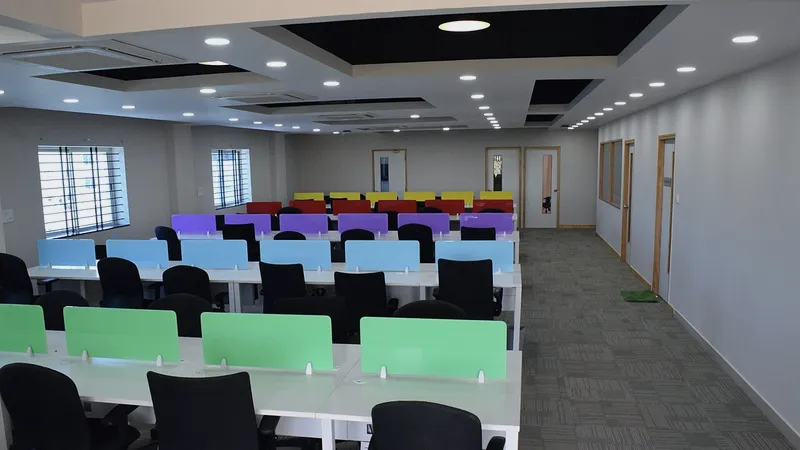
What IT support does a 25-person office in Dallas need?
Between twenty and thirty people, the setup that carried you this far starts to fail quietly. Here is what breaks, what to add and in what order, and when a small, owner-led IT provider is still the right answer.

Who is the best IT guy in Dallas for a small business?
Nobody is the best IT guy in Dallas for every business. Here is a decision framework, an honest comparison of your three real options, and a plain statement of who I am right for and who I am not.

Who owns your passwords, domain and equipment?
Everything your business pays for should be in your business's name, not your IT provider's. Here is the checklist, how to verify each item today, and what to put in writing before you sign with anyone.

A supplier changed their bank details by email: is it fraud?
An email arrives from a supplier, a landlord or your own boss asking for payment to a new account. Here is how to check it in five minutes, what to do if the money already went, and the controls that stop it happening again.

A work computer will not turn on: quick checks before you call
A machine that will not start is usually one of four things, and two of them you can rule out yourself in a few minutes. Here is what to check, what the symptoms mean, and how the files come back off a dead computer.

An employee left with the company laptop: what do you do now?
Someone walked out with a company laptop and still has working accounts. Here is the order I run an emergency offboarding in, why disabling beats changing a password, and how to prove nothing was copied out.
Have a question these did not answer?
Ask me directly. If it is a good question I will probably write the article.